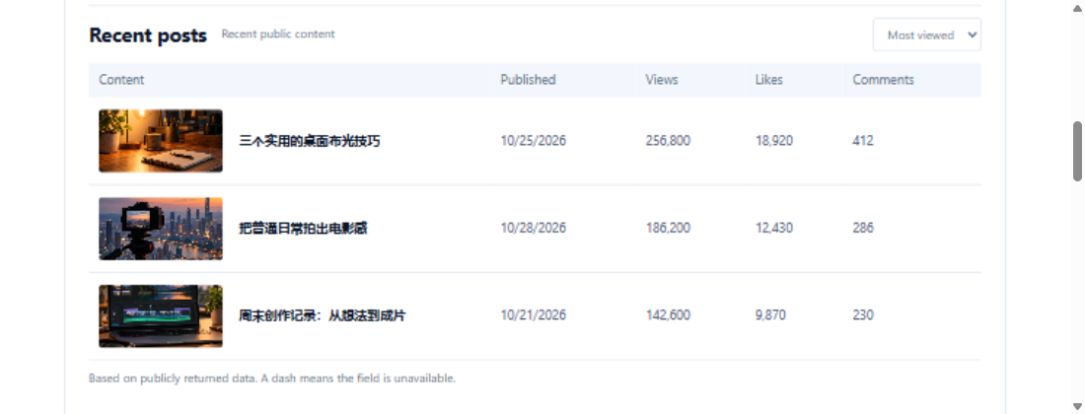
A creator sends you a profile link. The follower count is easy to copy, but a week later that number says little about why the account interested you. A small observation card is a better starting point.
Confirm the account before reading the numbers
Copy the full profile URL. In https://www.tiktok.com/@tiktok, the username is tiktok; the larger display name on the page is not necessarily unique. This public URL illustrates the input format and does not imply a partnership.
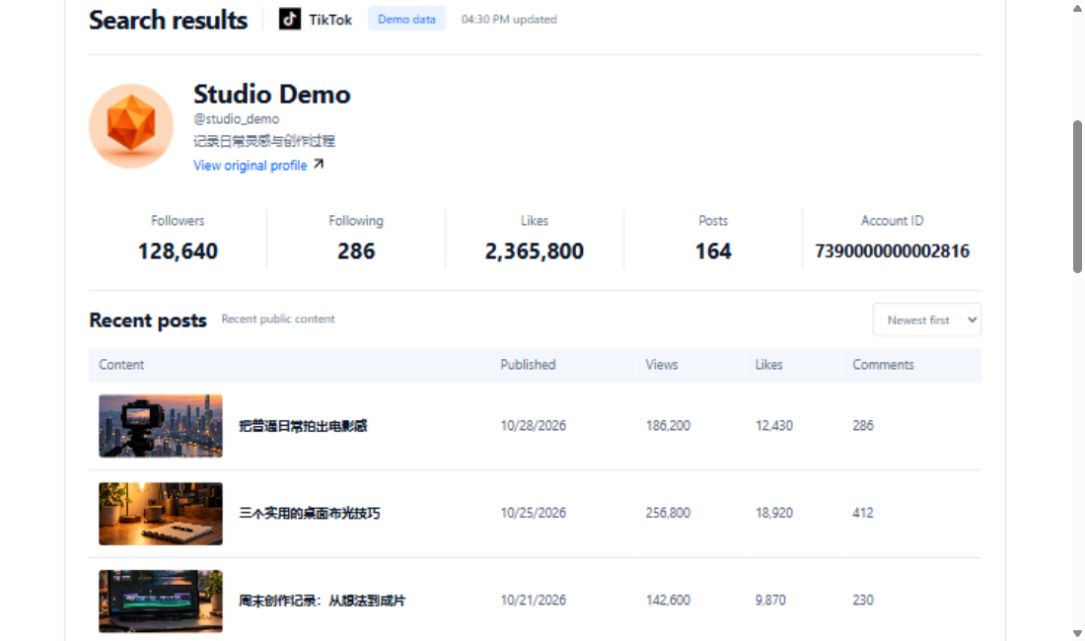
Select TikTok on the tool homepage, paste the profile link and complete verification. A video share link identifies a different object and will not work as a profile query. Compare the returned username, avatar and bio with the original page before recording anything.
Keep a five-field observation card
| Field | What to record |
|---|---|
| Profile URL | A source you can revisit |
| Observation time | Include the time zone |
| Public positioning | Describe the bio without guessing audience demographics |
| Available metrics | Keep followers, likes and post counts separate |
| Next question | Has the topic changed? Which recent posts deserve a closer look? |
Leave unavailable metrics blank. Turning a dash into zero can create an imaginary growth spike at the next observation. If an account is private, stop at the public information available.
A tempting ratio that does not work
Imagine a teaching example with 10,000 followers and 200,000 total likes. Dividing one by the other gives 20, but that is not an engagement rate. Total likes may span years while the follower count describes the account now. To compare posts, use similar publication windows and record views and interactions separately.
Open a few recent posts and read them. The card should help you choose the next research question, rather than replace judgment with a single score.
Automate the observation after the first check
The request below retrieves public profile information. Supply at least one of uniqueId or secUid; the profile username is the preferred uniqueId. Compare the response with the source page before building your own field mapping.
Request URL and parameters
GET https://api.trmesh.com/openapi/api/v1/tiktok/web/fetch_user_profile
| Parameter | Type | Required | Meaning |
|---|---|---|---|
uniqueId |
string | No | User uniqueId |
secUid |
string | No | User secUid |
Run the Python example
Install requests and set TRMESH_API_TOKEN in your environment. Replace the sample identifiers with the public object you intend to inspect. Example IDs may no longer be available.
import os
import requests

# Read your own developer key from the server environment.
url = "https://api.trmesh.com/openapi/api/v1/tiktok/web/fetch_user_profile"
params = {
    "uniqueId": "tiktok"
}
response = requests.get(
    url, params=params, timeout=30,
    headers={"Authorization": f"Bearer {os.environ['TRMESH_API_TOKEN']}"},
)
response.raise_for_status()
payload = response.json()
print(payload)  # Inspect the actual response before mapping fields
Endpoint documentation · Free profile tool
API calls use your TRMesh account allowance. Check the endpoint price before running a script.